Ban Evasion
Info
Destiny 2 does not usually hardware ban.
Instead they opt to place traces on your file system.
Creating a new Windows user is enough to remove those traces, below guide details this process.
- Press the Windows key, then search for “Others users” and press “Enter”.

- Click on “Add someone else to this PC”.
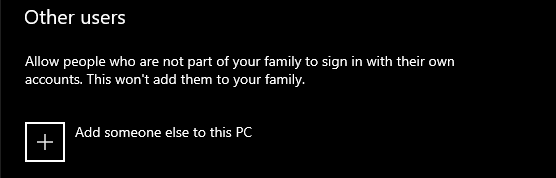
- Click on “I don’t have this persons sign in information”.

- Click on “Add a user without a Microsoft account”.

-
Enter your preferred username and optionally the password.
-
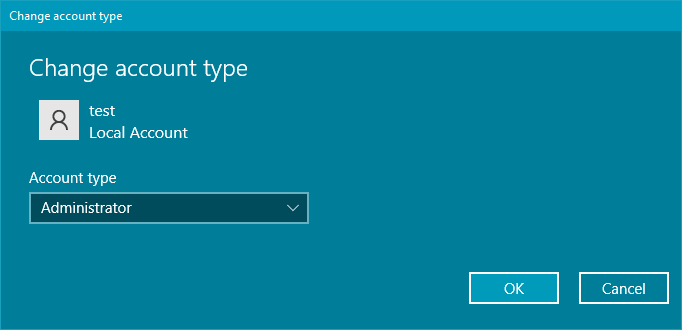
Click on “Change account type”.
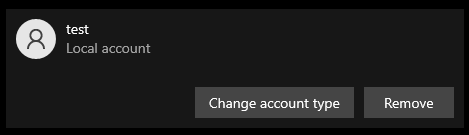
- Select ‘Administrator’ and click “OK”.
- Sign out.
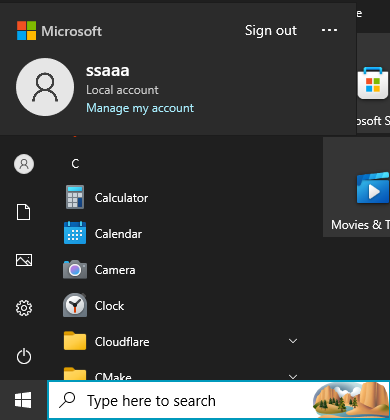
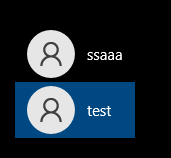
- Select your newly-created user in the bottom left of your screen and sign in.
Success
Congratulations, you can now play without risk of a ban.
If you wish to test if the method worked, using an afk macro for 2 hours in any activity is sufficient.